Extract data from any plot or chart in seconds
PlotExtract is a free plot digitizer and image measurement tool. Open an image, calibrate the axes, click your data points. Done.
Launch PlotExtract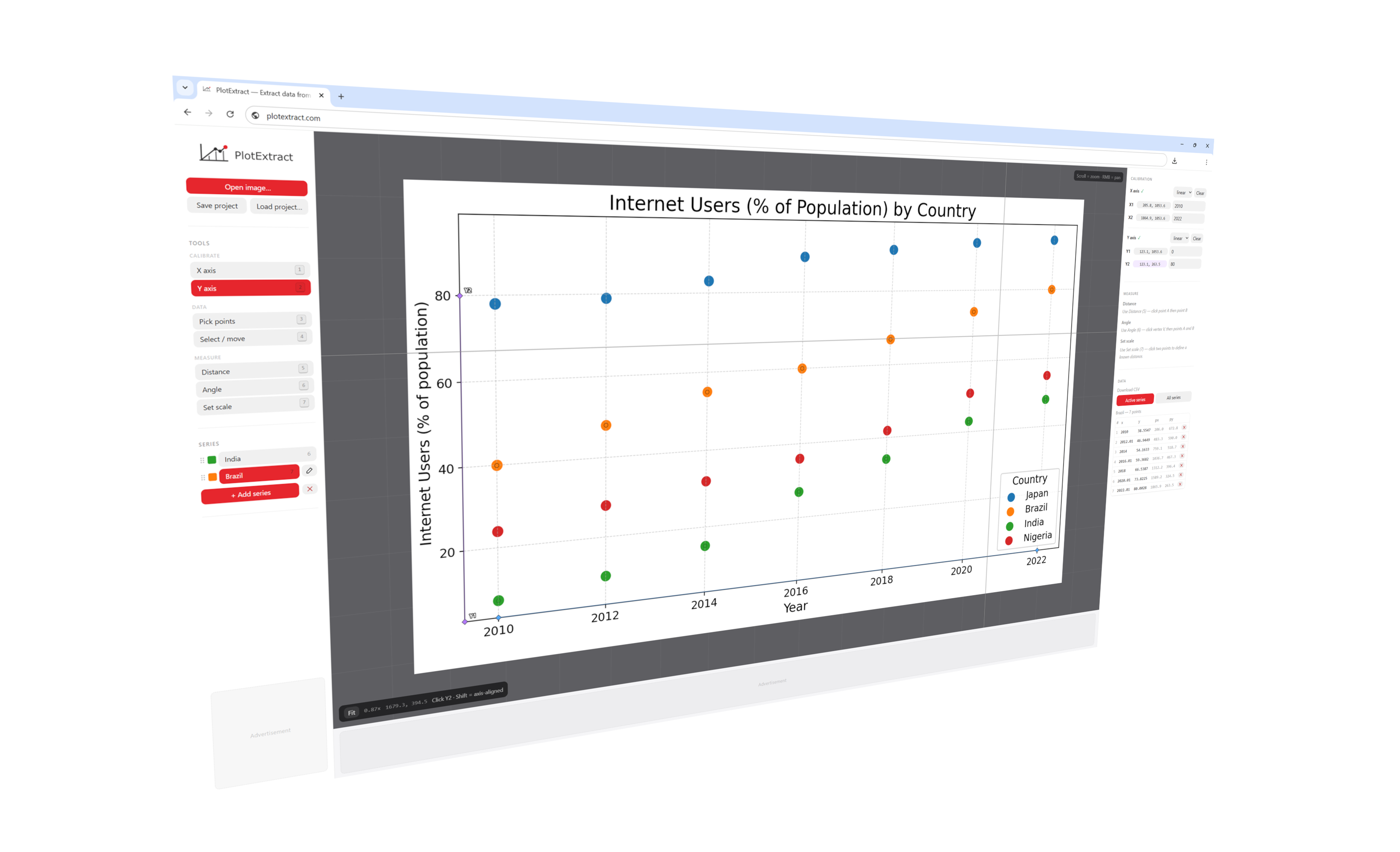
How to digitize a graph in 3 steps
Open your image
Calibrate the axes
Click your data points
Measure distances and angles on any image
PlotExtract also works as a precision image measurement tool. Use it on technical drawings, microscopy images, maps, or any photo with a scale reference.
Set a real-world scale
Measure distance on any image
Measure angle on any image
What PlotExtract includes
Calibrated coordinates
Multiple series
Distance & angle
No account required
Undo anything
Runs in your browser
CSV export
Shift-key axis alignment
Built for anyone working with chart data
If you need numbers out of a chart image, PlotExtract handles it.
Researchers
Students
Analysts
Engineers
Frequently asked questions
How do I extract data from a plot or graph image?
Open your image in PlotExtract, calibrate the axes by clicking two known points on each axis, then click on each data point in the chart. The tool converts your clicks into real data coordinates and lets you export the result as a CSV file.
What is a plot digitizer?
A plot digitizer (also called a graph digitizer or chart digitizer) is a tool that extracts numerical data from an image of a chart or graph. PlotExtract is a free, browser-based plot digitizer. No software installation or account required.
How do I digitize a graph or chart?
Load the graph image into PlotExtract, set axis calibration points to define the coordinate system, then click each data point you want to capture. The digitized coordinates are shown immediately and can be exported to CSV.
How do I measure a distance on an image?
Switch to Measure mode in PlotExtract, then click a start point and end point. The tool reports the pixel distance and, if you have set a real-world scale, the calibrated distance in your chosen unit (mm, cm, m, etc.).
How do I measure an angle on an image?
In Measure mode, click the vertex of the angle and then two arm points. PlotExtract calculates and displays the angle in degrees. With axis calibration active you also get the angle expressed in data coordinates.
Does PlotExtract support logarithmic axes?
Yes. When calibrating an axis you can choose between linear and logarithmic scale. PlotExtract handles the log transformation automatically so the exported data values are correct.
Is PlotExtract free? Do I need an account?
PlotExtract is completely free and requires no account or sign-up. Open the tool and start digitizing immediately. All processing happens in your browser — your images are never uploaded to any server.
What image formats are supported?
PlotExtract accepts JPEG, PNG, GIF, WebP, and BMP images. You can open files with drag-and-drop, the Open Image button, or paste directly from your clipboard with Ctrl+V.